
Otonota
Meeting transcription and summaries, entirely on your Mac. No internet needed
Screenshots
Description
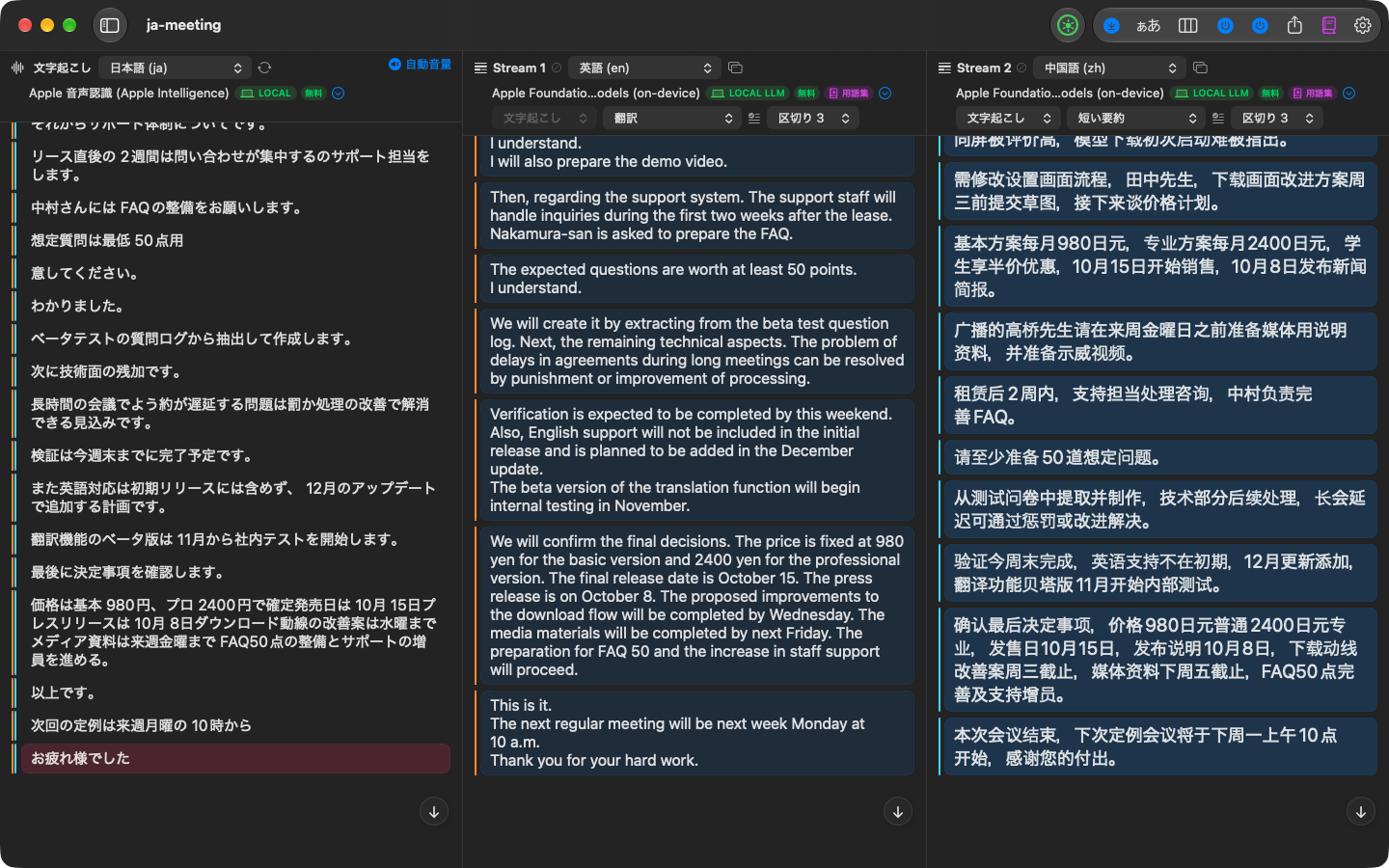
Otonota is a meeting assistant for Apple silicon Macs that works without internet. Press record, and what's said becomes text as it's spoken; a summary grows beside it. Everything happens on the machine, and by default audio and text never leave your Mac. It's a tool for people who would rather listen than take notes.
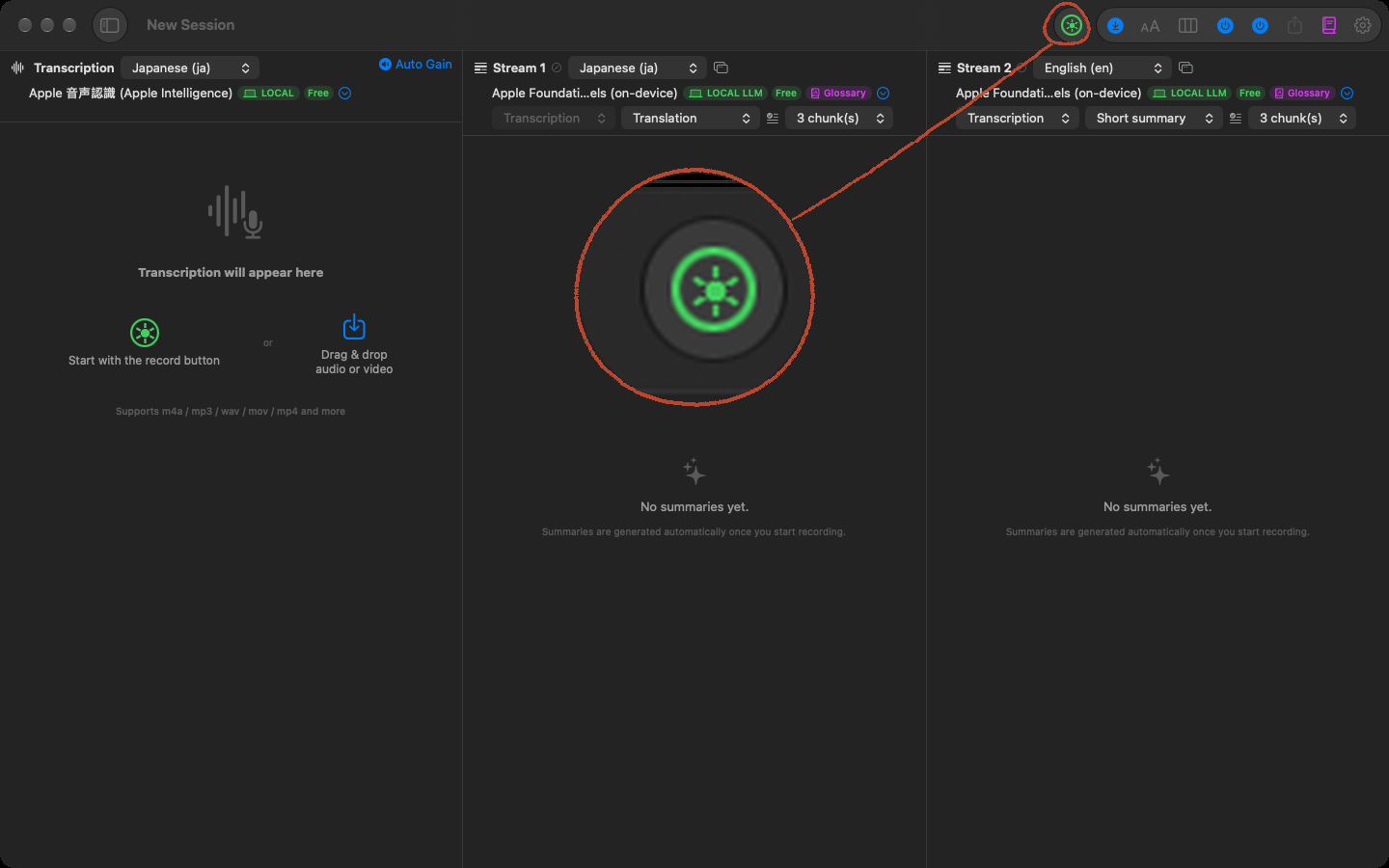
Press record. That's all
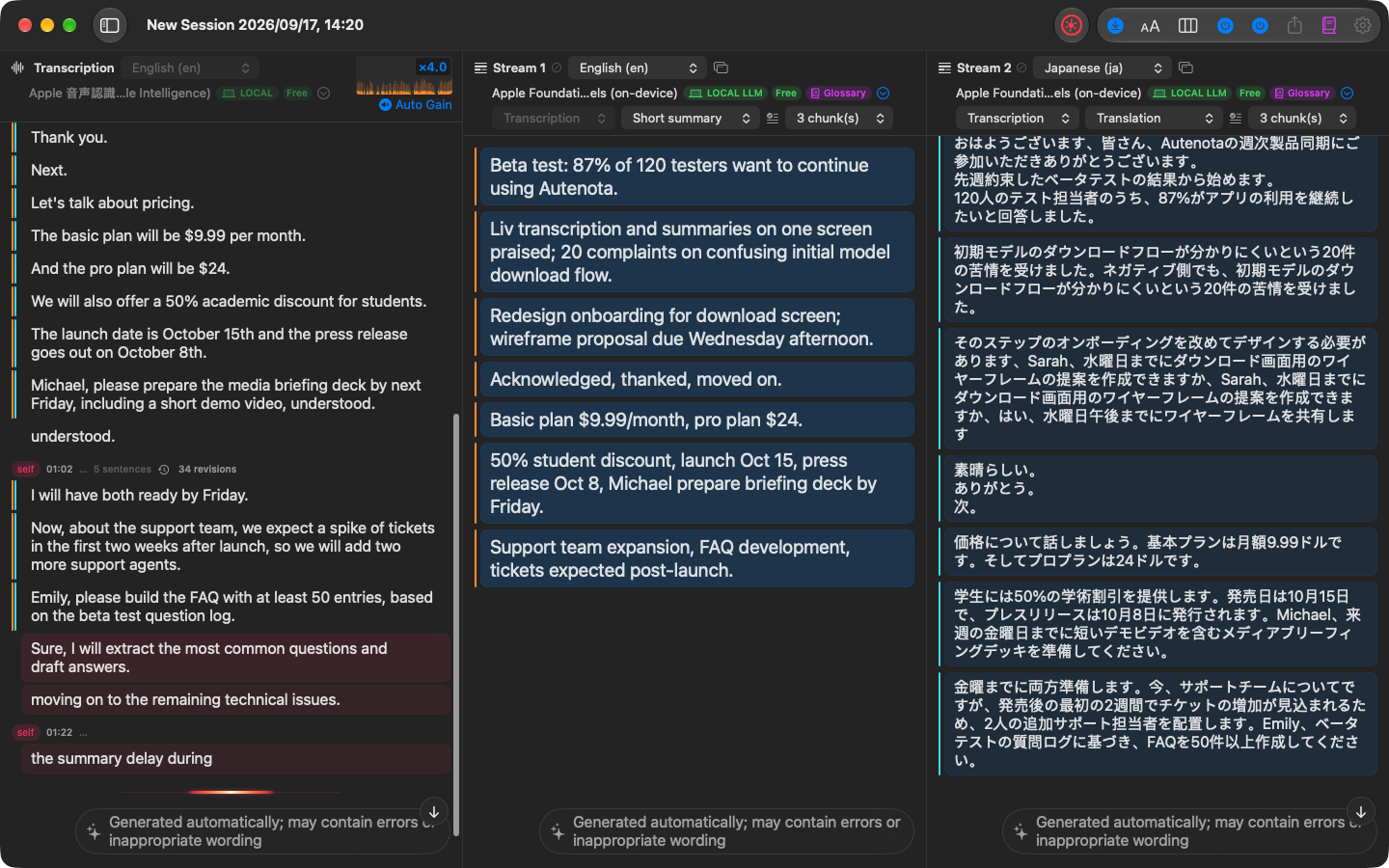
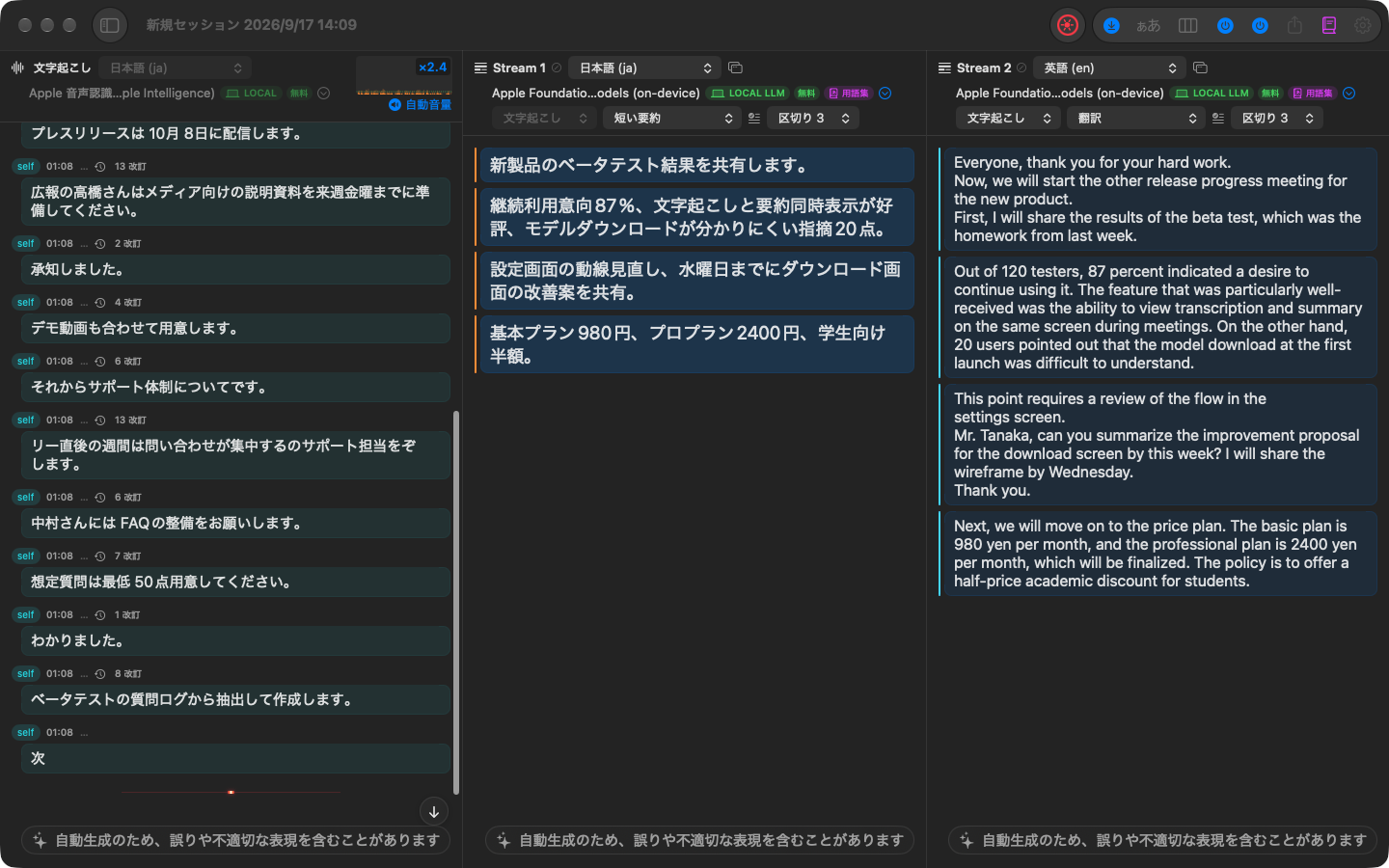
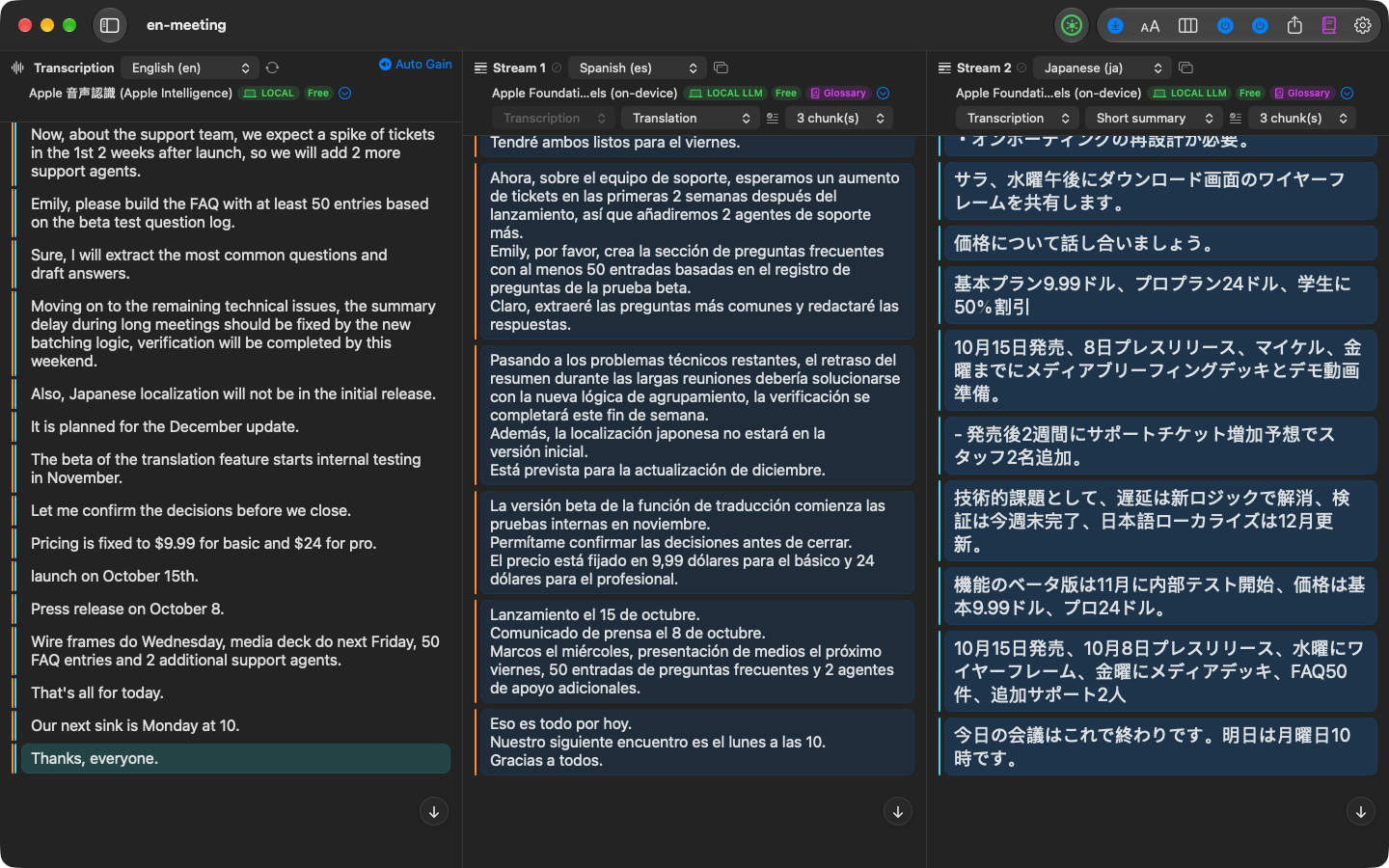
- Up to three columns: finalized speech stacks up on the left with timestamps; the middle and right columns are summaries that refresh every few lines
- Four summary modes: short summary, conversational summary, keywords, translation. Each column picks its own mode and output language, so you can follow a short summary in English while a Japanese translation runs beside it
- Record the microphone, system audio, or both — the other side of a Zoom or Google Meet call and your own voice land in one transcript
- Add product names and people to a glossary to improve both the transcript and the summary
Nothing leaves your Mac, by default
- Runs on Apple's speech recognition and Apple Intelligence, or on WhisperKit and MLX models running locally
- No network by default. No account. Works on a plane
- Made for confidential negotiations, interviews, clinical and legal consultations — anywhere the audio can't go to the cloud
- The one exception: with Apple Speech, macOS may use Apple's servers when on-device recognition for that language isn't available. If that matters, choose Apple Intelligence transcription or WhisperKit
Export
- Export your recordings and the plain text of transcripts and summaries at any time, for free. Nothing is locked in. Export with elapsed times from the start of the recording (JSON / CSV / SRT) is Pro
22 languages
- Interface, summaries and translations in 22 languages. Transcription covers 10 languages with the Mac's built-in engines and all 22 with the WhisperKit large-v3 model included in the free version
Free, with no time limit
- Recording, transcribing, summarizing and exporting are free, with no time or count limits
- Otonota Pro is a one-time in-app purchase (not a subscription). It adds the larger WhisperKit and MLX models, cloud speech recognition and language models (OpenAI / Google / Anthropic, with your own API key), a second summary stream, importing audio and video files, a pop-out summary window, and export with elapsed times
Free vs. Pro
| Feature | Free | Pro |
|---|---|---|
| Recording and transcription | ||
| Live recording (mic, system audio, or both at once) | ○ | ○ |
| Transcription: the Mac's built-in engines (10 languages) | ○ | ○ |
| Transcription: WhisperKit large-v3 (22 languages) | ○ | ○ |
| Transcription: larger WhisperKit models | — | ○ |
| Transcription: cloud — OpenAI speech recognition (your own API key) | — | ○ |
| Summaries and translation | ||
| Summaries and translation: Apple Intelligence (four modes) | ○ | ○ |
| Summaries and translation: MLX Qwen3.5 2B (22 languages) | ○ | ○ |
| Summaries and translation: larger MLX models | — | ○ |
| Summaries and translation: cloud — OpenAI / Google Gemini / Anthropic Claude (your own API key) | — | ○ |
| Second stream (a second summary or translation, live) | — | ○ |
| Glossary and context hints | ○ | ○ |
| Show streams in a separate window | — | ○ |
| Export and import | ||
| Copy transcripts and summaries as text | ○ | ○ |
| Export audio files and text (without timestamps) | ○ | ○ |
| Export with elapsed times (JSON, CSV, SRT) | — | ○ |
| Import and re-transcribe audio and video files | — | ○ |
| Overall | ||
| Time or usage limits | none | none |
| Price | free | one-time in-app purchase |
The line: what runs on the Mac's built-in engines plus one WhisperKit and one MLX model is free; every other engine is Pro. Pro is a one-time in-app purchase, not a subscription. Buy it once and use it on the Macs signed in to the same Apple Account. The price is shown in the app and on the Mac App Store product page.
Requires macOS 26 or later on an Apple silicon Mac (M1 or later). 8 GB of memory is enough for the built-in engines.
Automatically generated transcripts and summaries may contain errors or inappropriate wording. Please record only with the consent of the people involved.
Reviews
Report an issueYour positive feedback and words of encouragement motivate us to keep improving and developing new features. We look forward to your kind comments!
No reviews yet. Be the first to write one!