
Fotra
Official site: www.fotra.photoDirect transfer from camera to iPad. FTP tethered shooting and photo management app for professionals.

Preview
Screenshots
Description
Fotra is a photo transfer and management app exclusively for iPad, built for professional photographers. Launch your iPad as an FTP server and receive photos directly and in real time from a compatible camera. With no PC on set, you can review, cull, and organize right where you shoot — bringing a full professional tethering workflow to a single iPad, in the studio or on location.
Fotra is the successor to Tezar, significantly upgraded in stability and features and optimized for the latest OS.
Key Features
- Built-in FTP server — Run an FTP server on your iPad and receive photos straight from the camera. Save and manage multiple FTP profiles
- Tethering mode — Real-time review on the iPad's large screen as you shoot, with automatic display of the latest photo and a scrollable thumbnail bar
- Professional photo management — Create and manage albums, mark favorites, rate (★1–3), and use advanced search and filters
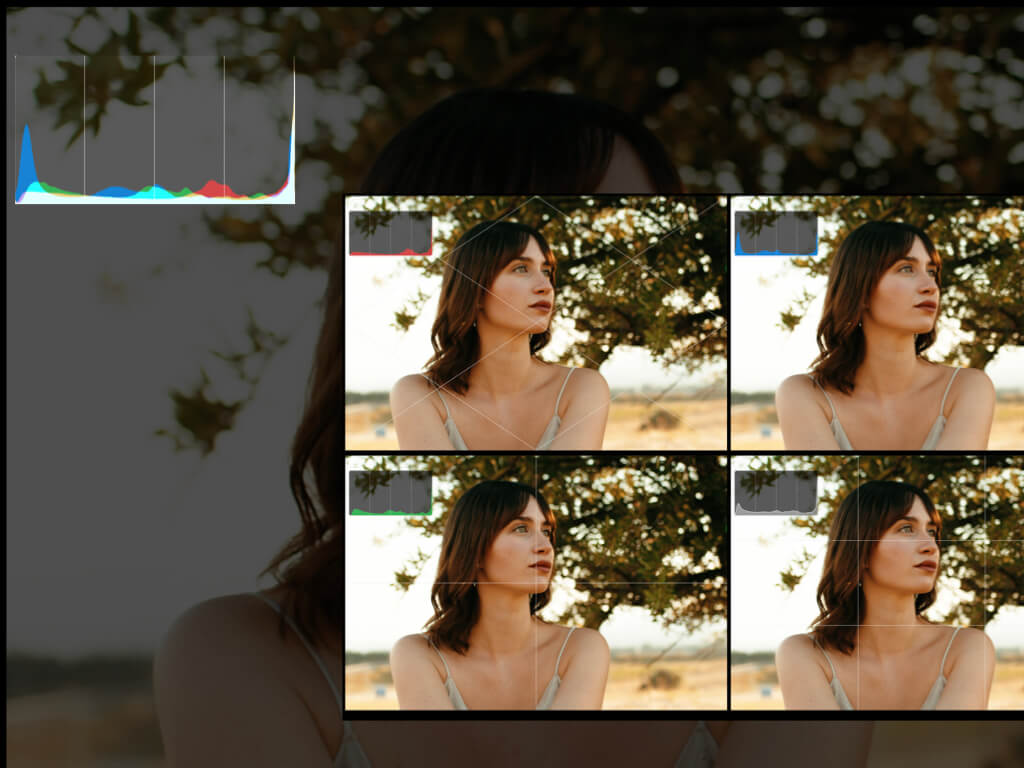
- Composition guides — Overlay the rule of thirds (3x3), quartering (2x2), the railman composition, and more onto your photos
- Histogram display — Check brightness distribution in real time, with per-RGB-channel views for precise exposure checks
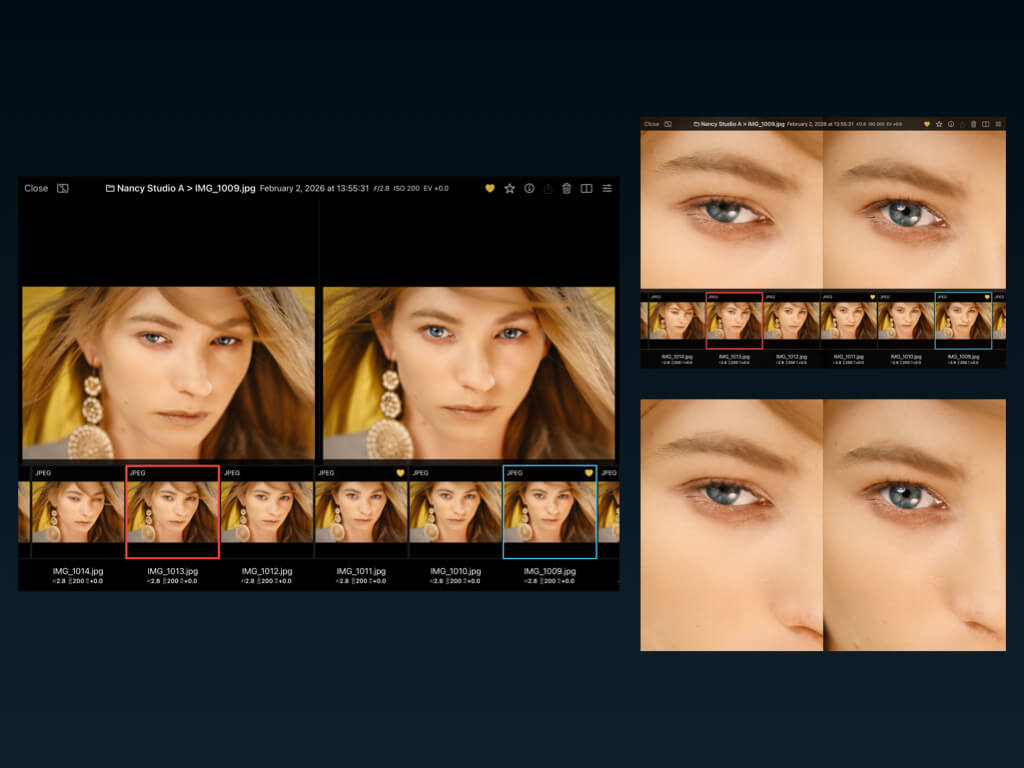
- A/B comparison — Compare two photos side by side or stacked; lock image A and swipe through B to pick the best shot fast
- JPEG / RAW support — Handles both formats, from on-set review to culling
System Requirements
- iPad-only app (distributed on the App Store)
- Works with cameras that have FTP transfer functionality
Example Compatible Cameras
- Canon: EOS R5 / R5 Mark II / R6, and more
- Nikon: Z9 / Z8, and more
- Sony: α9 III / α7 IV, and more
How It Works
- Open Fotra on your iPad and start the built-in FTP server.
- Enter the address and port shown by Fotra into your camera's FTP transfer settings.
- As you shoot, photos transfer to the iPad and appear in real time.
- Check the histogram and composition guides on the tethering screen, then use A/B comparison and ratings to select the best shots.
- Organize photos with albums, favorites, and filters.
Recommended For
- Photographers who want to review images with clients in real time during studio shoots
- Anyone who wants to keep a professional workflow on location without carrying a PC
- Those looking to streamline photo culling and review after shooting
Why Fotra
Tethered shooting with a laptop and dedicated software means heavy gear and time-consuming setup. With Fotra, a single iPad serves as the FTP receiver, the review monitor, and the culling tool — light to carry and ready to start a professional workflow on set in seconds.
FAQ
Q. Where can I buy it?
A. It's available on the App Store.
Q. Which cameras are supported?
A. Cameras with FTP transfer functionality. Examples include Canon EOS R5 / R6, Nikon Z9 / Z8, and Sony α9 III / α7 IV.
Q. Does it support RAW?
A. Yes — both JPEG and RAW are supported.
Q. Do I need a PC?
A. No. Everything from tethered shooting to photo management is done on the iPad alone.
Q. How is it different from Tezar?
A. Fotra is the successor to (a rebrand of) Tezar, with substantially improved stability and features and optimization for the latest OS.
Reviews
Report an issueYour positive feedback and words of encouragement motivate us to keep improving and developing new features. We look forward to your kind comments!
No reviews yet. Be the first to write one!